
Sidebeam
Sign in

An AI assistant that gets things done

Need something?
Just say the word.

Built to finish the work. Organize knowledge and documents, draft emails, and deliver scheduled briefings—say the goal, get a deliverable back.

08:00Market brief sent12:30One-page resume created19:00Weekly report exported02:00Nightly check completed

Things you can ask

Leave these to Sidebeam

You do not need to map out every step. Say what you need; Sidebeam will ask before sensitive actions and message you when it is done.

Resume

Turn these notes into a one-page resume

Send over your experience and project notes. Sidebeam sharpens the writing, brings the important details forward, and fits everything onto one page.

A polished one-page PDF resume
Want different wording or a new layout? Just ask.

Daily brief

Send me the top stock-market topics every morning

Sidebeam checks public coverage from the past day, finds the themes appearing across sources, and sends a short summary with links.

A sourced market brief every morning at 08:30
For market awareness only—not live quotes or investment advice. Sidebeam does not trade for you.
Control your computer

Export my weekly report as a PDF

Once you approve access, Sidebeam opens Finder on your connected Mac, finds the weekly report, and exports it. You can pause control at any time.

The weekly report is saved as a PDF on your computer
Sidebeam only controls devices you have connected and approved.
Knowledge base

Save these sources and ask questions later

Send Sidebeam a webpage or Word document and it will organize it in the knowledge base you choose. Once the sources are ready, ask a question and get an answer with citations.

The webpage and Word document are saved, with citations shown in answers
Answers only use sources in this knowledge base that you can access.
Important email

Find the emails I need to reply to today and draft responses

Sidebeam checks your inbox, flags the messages that need attention, explains why, and drafts replies using the conversation so far. You review each message before it is sent.

The emails that need a reply, with drafts ready to review
Nothing is sent without your approval.
Organize receipts and expenses

Turn these receipts into an expense report

Send over your receipts and Sidebeam will extract the merchant, date, and amount, arrange everything in a table you can check, then export it as a file.

An organized expense report, ready to download
Review and edit every item before exporting.

MORE YOU CAN DO

More you can hand off to Sidebeam

From collecting source material to sending scheduled updates, you can keep it all in the same conversation.

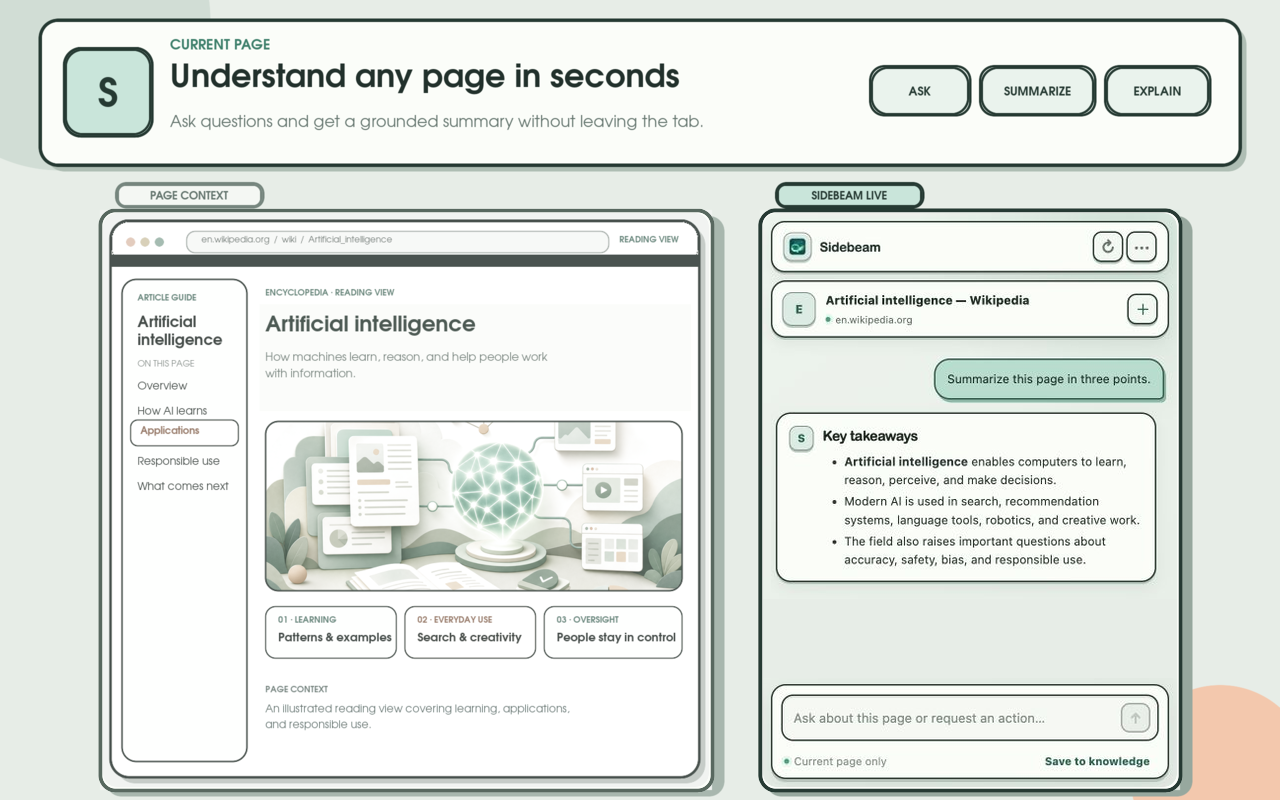
Send text, voice, or a web page

Use Sidebeam on your phone or computer, send a voice message, or save a useful page as you browse.

  • Phone and desktop
  • Voice messages
  • Save web pages

Keep your materials and preferences in reach

Save reference material and set up a dedicated assistant for different kinds of work.

  • Dedicated assistants
  • Knowledge base

Work with files and on-screen tasks

Read cloud files, fill in web pages, control an approved computer, or make a web app when you need one.

  • Files and cloud drives
  • Web tasks
  • Control your computer
  • Generate web apps

Run on schedule and notify you

Set recurring work to run on time and get a message as soon as the result is ready.

  • Scheduled tasks
  • Completion alerts

Understand source material and create

Pull information from images, receipts, tables, and recordings; follow public updates; or create and edit images.

  • Create and edit images
  • Extract text and tables
  • Follow public updates

Connect tools and collaborate

Use services you already have, share results securely, and bring Sidebeam into group conversations.

  • Connect your tools
  • Secure sharing
  • Group collaboration

Security and control

You decide what Sidebeam can do

Connecting a device, running code, or sending something follows the permissions you set. Sensitive actions ask first.

Passkeys & two-step verification

Add stronger protection to your account and data.

Code stays separate

Commands and code run in an isolated environment, away from your personal computer.

Approve each device

Sidebeam only controls devices you have connected and approved. Revoke access anytime.

Review before sending

Emails and other outbound content wait for your confirmation.

Get started

Send a message to begin

Use the web or a chat app you already know. There is no new workflow to learn.

First time

Say what you need

Start with a sentence, a file, or a voice note.

As you go

Add details anytime

Send another message when you have a new request or reference.

Recurring work

Set a schedule

Briefings, reminders, and checks run at the times you choose.

Credits

Top up once. Use them when you need them.

Choose a one-time Credit pack and use it across the work you give Sidebeam.

One-time payment, no auto-renewal
Added after payment confirmation
Use them across Sidebeam

Starter Pack

$9.99

Credits you receive

10,000 Credits

Enough Credits for light, everyday use.

Top up 10,000 Credits

Start now

Tell Sidebeam what you want to finish today.

Get started with Sidebeam